Messenger - Texting App
- 4.5
- Rating
- 10.00M
- Installs
- Free
- Price

 Analysis by App-foxy
When I want a straightforward way to handle ordinary text messages and picture messages, I look for an app that gets out of the way quickly. Messenger - Texting App, developed by Emoji SMS Messenger, takes that practical route. It is a free communication app for Android, aimed at people who want more control over everyday SMS and MMS conversations without moving every contact to a separate chat service.
I spent time looking at how it fits into a normal messaging routine rather than judging it only by its colorful presentation. The useful question is simple: can I open it, find the right conversation, send something, and keep unwanted messages from interrupting me? In my experience, the answer is generally yes, especially if your contacts still rely on carrier-based texting. The app also adds driving mode, blockers, and a private box, so it tries to cover the awkward moments that a basic phone messaging screen often leaves untouched.
From an incoming message to a finished conversation
I find the most useful way to judge a texting app is to follow one message from notification to reply, rather than assume that extra controls will automatically make the inbox easier. Here I focus on the small choices that shape that trip: what deserves attention, what can wait, and how I avoid letting a busy screen dictate my next move. That leads naturally to the first step: meeting a mixed inbox.
You May Also Like

 Blood Strike: 2.5 Anniversary
Blood Strike’s Loadouts Turn Every Drop Into a Tactical Gamble
A close look at Blood Strike’s custom loadouts: how fast access to signature weapons reshapes its battle royale rhythm, rewards preparation, and narrows the gap between fights.

 Pandora - Music & Podcasts
Pandora’s Music Is Easy to Start, but Harder to Recover
Pandora’s strength is its low-effort path from a seed to a station. Its weak spot is how much confidence it asks you to place in connection, setup, and quiet recovery.

 8 Ball Pool
 Is Built on Rivalries, Rematches, and Routine
A close look at the rivalries, rematches, shared routines, and unanswered safety questions that turn a quick pool match into a persistent mobile community.

 Samsung Music
’s Quiet Strength Is Playing What You Already Own
Its reach comes less from spectacle than from dependable access to a personal library. That simplicity is both the app’s strongest retention engine and its ceiling.

 AccuWeather: Weather Radar
AccuWeather Review: A Quick, Clear Forecast for Everyday Decisions
For everyday plans, the best forecast is the one you can understand quickly. AccuWeather makes rain timing, radar, and local conditions easy to act on, with a few trade-offs.

 Hill Climb Racing
Why Hill Climb Racing Still Turns Crashes Into One More Run
A tiny car, a bumpy hill and one more upgrade: Hill Climb Racing keeps resurfacing because its simple chaos makes every near-miss feel personal.
More From Our News Desk



The starting point: a busy inbox and different kinds of contacts
The most realistic use case is not a dramatic one. Imagine that I am leaving work, expecting a delivery update, while family members and a few service numbers are sending messages at the same time. Some people use modern internet messengers, but others still send ordinary SMS. I do not want to ask everyone to install the same platform just to share a short reply or a photo.
That is where this app makes sense. It focuses on SMS and MMS messaging, so the starting condition is familiar: a phone number, a conversation thread, and a message that needs an answer. It is not trying to replace every social platform. Instead, it gives the traditional texting workflow a more feature-focused interface.
The app is free to install and is suitable for Everyone, which makes its audience broad. It runs on Android devices using version 6.0 or later. That older compatibility is helpful if you are using a phone that does not receive the newest Android releases, although the experience can still depend on how well your particular device handles its default messaging setup.
Emoji SMS Messenger has built a sizable audience, with more than ten million installs and an average rating of 4.6 from roughly eighty-four thousand ratings. Those figures suggest that the basic idea works for many people, but they should not be treated as proof that every phone will behave identically. Messaging apps sit close to the operating system, the carrier, and notification settings, so small differences between devices matter.
Step one: finding the right thread without overthinking it
My preferred first test for a messaging app is how quickly I can move from an incoming notification to the correct conversation. With a normal texting workflow, I may be switching between a family thread, a one-to-one conversation, and an automated message from a company. A useful interface should keep those paths obvious rather than making me search through decorative screens.
This app is best approached as a replacement for the ordinary SMS screen, not as a full social network. That distinction helps set expectations. You can use it for direct messages, picture messages, and routine replies, but it does not automatically solve the separate problem of keeping conversations synchronized across multiple internet-connected devices in the way some cloud-first services do.
One practical habit is to decide which conversations deserve attention before opening the app. I would answer personal messages first, check a delivery or appointment thread next, and leave unknown senders for the blocker controls. That simple order matters because the extra tools are most useful when they support a routine rather than become another layer to manage.
Step two: composing a message and choosing the right channel
For a short text, the experience is familiar: choose a contact, write the message, and send it through the phone’s texting service. For a photo or another multimedia message, the process becomes more dependent on the carrier and device configuration. That is not a weakness unique to this app, but it is an important trade-off compared with internet messengers that send media through their own networks.
I like using SMS when I need broad reach. A recipient does not necessarily need the same app, an account on a particular platform, or a separate invitation. That makes this a practical choice for relatives, tradespeople, schools, and occasional contacts. On the other hand, if I am sending several high-quality images or having a long group conversation, a dedicated internet messenger may be more convenient and predictable.
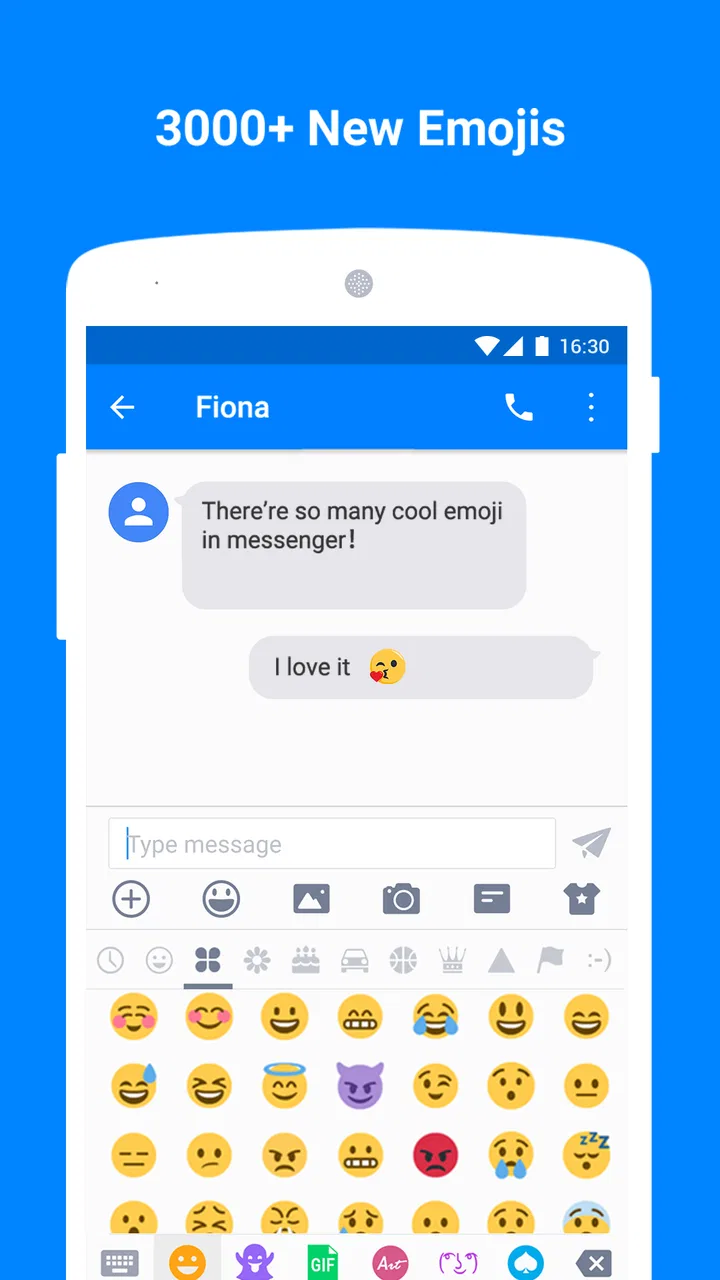
The presence of emoji-oriented branding also makes sense for casual conversations. Emojis can make a short reply feel less abrupt, especially when the message is only a few words. Still, I would not choose this app solely for visual expression. The real value is the combination of ordinary texting and controls for interruptions and privacy.
Step three: using driving mode before the phone becomes a distraction
Driving mode is one of the more meaningful additions because it addresses the moment when a message arrives at the worst possible time. My advice is to treat it as a preparation tool, not as permission to interact with the phone while driving. Turn it on before starting the trip, decide what level of interruption is acceptable, and keep the phone out of active reach.
This is a subtle but useful workflow improvement. A standard messaging app often leaves the driver to manage notifications one by one, which encourages glances at the screen. A dedicated driving setting can help create a boundary between “I am available” and “I am on the road.” The feature is most valuable when used consistently for commutes, school runs, or longer journeys.
There is also a handoff issue here. If someone else in the car needs to answer a message, the phone should be passed to a passenger rather than handled by the driver. The app can reduce interruptions, but it cannot replace safe judgment. I see driving mode as a friction reducer, not a complete safety system.
Step four: filtering unwanted senders with blockers
Unwanted texts are another point where a basic inbox can become tiring. Promotional messages, repeated alerts, and persistent unknown numbers make it harder to notice the one message that actually matters. The blocker feature gives this app a more deliberate way to separate useful communication from noise.
I would use it gradually rather than blocking every unfamiliar number immediately. A new number might be a courier, a doctor’s office, or a person whose contact details I have not saved. The safer workflow is to inspect the message, identify repeated nuisance senders, and then apply the blocker where the pattern is clear.
This is also where expectations need to stay realistic. Blocking can help manage messages inside the app, but it does not make the phone number disappear from every possible communication channel. If a sender uses another number, the situation may require another decision. The feature is strongest as an inbox-cleaning tool, not as a universal shield against all unwanted contact.
Step five: keeping sensitive conversations separate
The private box is aimed at a different problem: visibility rather than volume. I can imagine using it for a conversation that I do not want displayed alongside everyday family or work messages when someone briefly looks at the phone. That is a useful distinction because blocking and privacy solve different problems. A blocked sender is unwanted; a private conversation may still be important.
The best workflow is to decide what belongs there before the inbox becomes crowded. If I wait until I am hurried or someone is standing beside me, I am more likely to handle the conversation inconsistently. I would also avoid treating a private box as a guarantee of complete security. Privacy tools can reduce casual exposure, but they should not encourage careless sharing of highly sensitive information.
This feature may be especially helpful on a shared household phone or when I regularly lend my device to a child for a quick task. It adds a layer of separation without requiring a second messaging account. At the same time, anyone who needs independently verified, end-to-end encrypted communication should compare this app with a service designed specifically around that purpose.
The handoffs: where texting leaves the app
A messaging workflow rarely ends when I press Send. The message moves through the phone, the carrier, and the recipient’s device. With SMS and MMS, those handoffs are part of the experience. If a text is delayed, a picture fails to send, or a group behaves differently from expected, the cause may not be the interface I am using.
This is the main difference between this app and internet-first alternatives. A service such as Signal, WhatsApp, or another platform-based messenger usually keeps more of the conversation inside its own account system. That can make delivery indicators, media sharing, group membership, and multi-device access feel more unified. The cost is that everyone involved generally needs to use the same service.
Messenger - Texting App takes the opposite position. It is useful when compatibility with ordinary phone numbers matters more than a single closed ecosystem. I would choose it for contacts who do not share one preferred chat platform, while choosing an internet messenger for groups that already agree on one service and expect richer media or synchronized conversations.
There is a second handoff involving contacts. If I switch from another SMS application, I need to make sure the new app is configured as the messaging app I actually intend to use. Otherwise, I could read a conversation in one place and compose a reply in another, creating confusion. This is not an exciting feature, but it is one of the most important setup decisions for avoiding duplicate notifications and split inboxes.
The result: a calmer, more controlled texting routine
When the workflow goes well, the result is not that texting suddenly becomes revolutionary. It is that ordinary communication feels more organized. I can keep carrier-based messages available, reduce interruptions during a drive, separate private conversations, and deal with recurring unwanted senders without installing several unrelated tools.
That combination is the app’s strongest argument. Each feature addresses a different stage of the same routine: receive, decide, respond, protect attention, and keep the inbox manageable. The tools are more useful together than they would be as isolated extras.
The app is also approachable for someone who does not want a complicated communication platform. A parent who mainly texts family, an older relative using a compatible Android phone, or a person who regularly communicates with businesses by SMS may appreciate the familiar foundation. The free entry point makes it easy to try without committing money first.
There are optional in-app purchases ranging from ninety-nine cents to fifty-nine dollars and ninety-nine cents per item. That means I would check each purchase screen carefully before confirming anything, especially if I only want the basic messaging experience. The free version is the natural starting point, while paid extras should be judged by whether they solve a problem I actually have.
Where the flow breaks
The first weak point is the underlying SMS and MMS technology. If I expect the polished media sharing, reactions, seamless desktop access, and reliable group behavior associated with modern internet messengers, this app may feel limited even when it is working correctly. Its job is to improve traditional texting, not to turn carrier messaging into a completely different platform.
The second issue is setup friction. Replacing a default messaging app can affect notifications, message handling, and which application opens when I tap a text-related action. I would make the change when I have time to test a conversation, send a picture, and confirm that new messages appear where expected. Doing this immediately before an important appointment would be asking for avoidable trouble.
Driving mode also requires discipline. If I forget to activate it before a trip, its value is reduced. If I use it as an excuse to check messages at traffic lights, the feature has failed its purpose. The app can shape the workflow, but the user still has to follow it.
The blocker and private box tools introduce their own decisions. Blocking too aggressively can hide a legitimate contact, while placing too much confidence in a private area can lead to oversharing. I would review those choices occasionally, particularly if I change phone numbers, receive messages from new services, or share the device with other people.
Finally, people who already live entirely inside one internet messaging service may gain little from switching. If every important contact is on the same platform and I value cloud synchronization above phone-number compatibility, that alternative may remain the better fit. This app is more compelling for mixed communication habits, where some conversations are modern app chats and others are still standard texts.
Who I would recommend it to
I would recommend it to an Android user who wants a more capable home for SMS and MMS without abandoning ordinary phone-number communication. It makes particular sense for someone who receives a lot of practical messages, wants a clearer way to manage interruptions, or needs to keep certain conversations less visible in the main inbox.
I would also consider it for a secondary or older compatible Android phone where the built-in messaging experience feels too bare. The minimum Android requirement of 6.0 keeps the potential device range broad, although I would still test notification behavior and media sending on the specific handset before making it my only messaging option.
I would skip it if my main priority is encrypted communication, extensive desktop use, large media transfers, or a fully synchronized multi-device history. In those cases, a purpose-built internet messenger may offer a more complete solution. I would also skip it if I am happy with the phone’s existing messaging app and never need blockers, driving controls, or a private inbox.
My final take after following the whole workflow
The best reason to use Messenger - Texting App is control over ordinary texting, not novelty. It starts with the familiar SMS and MMS inbox, adds practical decisions around attention and privacy, and ends with a cleaner routine for people whose contacts do not all use the same chat service.
Its limitations are equally clear: carrier-based messaging still has carrier-based limitations, setup deserves care, and the extra tools work only when I use them thoughtfully. I would install it when my problem is a cluttered or distracting text inbox, not when I am searching for a complete replacement for modern encrypted chat platforms.
With a current version of 1.8.7 and a free starting point, it is easy to evaluate on a compatible Android phone. My recommendation is to begin with one ordinary conversation, test a picture message, try the blocker only on an obvious nuisance sender, and activate driving mode before a routine trip. If those steps fit the way you communicate, this app can turn a basic texting task into a more manageable daily workflow.
FAQs for Messenger - Texting App
01What features does Messenger - Texting App offer?
Messenger - Texting App provides a range of features including text messaging, voice and video calls, group chats, and multimedia sharing. Users can also customize their chat themes and use a variety of emojis and stickers to enhance conversations. Additionally, the app supports integration with other platforms for seamless connectivity.
02Is Messenger - Texting App secure for private conversations?
Messenger - Texting App employs end-to-end encryption for all communications, ensuring that your messages and calls are secure and private. The app also offers security features such as two-factor authentication and the ability to lock the app with a password or biometric authentication, providing additional layers of protection.
03Does Messenger - Texting App support cross-platform usage?
Yes, Messenger - Texting App is available on both Android and iOS platforms. It allows users to stay connected across different devices without losing any data or chat history. The app also syncs messages in real-time, ensuring a smooth experience whether you’re on a smartphone, tablet, or computer.
04Are there any in-app purchases or ads in Messenger - Texting App?
While Messenger - Texting App is free to download and use, it may offer in-app purchases for premium features such as additional sticker packs or advanced customization options. The app might display ads, but users can opt for a premium version to enjoy an ad-free experience.
05How does Messenger - Texting App handle data privacy?
Messenger - Texting App is committed to user privacy and complies with international data protection regulations. The app provides users with control over their data, allowing them to manage permissions and access settings. Users can also view and delete their data within the app, ensuring transparency and control over personal information.
Pros
- User-friendly interface
- easy navigation.
- End-to-end encryption for privacy.
- Seamless integration with contacts.
- Customizable chat themes available.
- Supports multimedia sharing efficiently.
Cons
- Consumes significant battery life.
- Occasional notification delays.
- Requires stable internet connection.
- Limited offline functionality.
- Ads can be intrusive at times.

Messenger - Texting App
Gallery